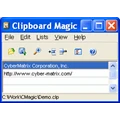
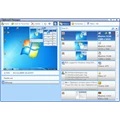
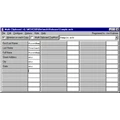
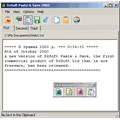
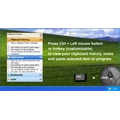
File Grabber saves information about files in any format into the clipboard. Save not only the path and name but comments, title, etc. as well as dates and size. Create catalogs of music and videos. Create catalogs of disks, zip disks, CD's and DVD's. Make catalogs of any kind of file!!
1/2 price as part of the CAVU Productivity Package!
|
|
|
| |
|
تقييم و آراء الزوار |
|
|
لا يوجد
|
| |
| برامج لنفس المطور
|
| |
Clipboard Extender
Use Clipboard Extensions to store and organize any number of clipboards. A set of Extensions can have 256 clipboards. There can be an unlimited number of sets: of often used text in business letters, Excel formats and formulas or any other data. Extensions work anywhere copy & paste does.
1/2 price as part of the CAVU Productivity Package!
|
| |
Multi-Filename Editor
The Multi-Filename Editor allows you to easily edit any number of filenames in an easy to use spreadsheet format and then Rename or Copy them with the press of a button. Edit individual names or use Find/Replace, Copy/Paste or other editing commands.
This shell extension is easy to use!
Half-price as part of the CAVU Productivity Package!
|
| |
File Information Editor
The File Information Editor enhances your productivity by allowing you to easily update the Comments, Subject, Category etc. fields of any file on your system in an easy to use spreadsheet.
Edit values with a double click of the mouse or use Copy/Paste; Find/Replace or Clear All.
Half-price as part of the CAVU Productivity Package!
|
| |
Context Menu Manager
Manage the look and form of your Windows Explorer context menus with Context Menu Manager. You can quickly deactivate and reactivate commands from menus without uninstalling the application. Quickly activate commands when you need them and deactivate them when you are done.
Half-price as part of the CAVU Productivity Package!
|
| برامج شبيهة
|
| |
Advanced Clipboard
One Windows clipboard is not enough for you?
Advanced Clipboard allows you to create 15 independent clipboards and work with each of them separately. It means that you can paste information from any of the clipboards to any application at any moment. You can also view the clipboard contents that won’t be lost even if you restart Windows. The program also has a "smart clipboard" system.
Advanced Clipboard supports all formats of the Clipboard.
|
| |
Clipboard Extender
Use Clipboard Extensions to store and organize any number of clipboards. A set of Extensions can have 256 clipboards. There can be an unlimited number of sets: of often used text in business letters, Excel formats and formulas or any other data. Extensions work anywhere copy & paste does.
1/2 price as part of the CAVU Productivity Package!
|
| |
A - M8 Multi Clipboard
The M8 multi clipboard captures everything that you cut or copy and all screen shots and web graphics. The last 30 clips or screen shots are shown in its clipboard area. As you move the mouse over the clips, you can see them. If the clip is text, you see the first several lines and if it is a graphic, you see a thumbnail of it. To paste back a clip, you click on it. It also has form filling, web and e-mail bookmarks and a graphic clip editor.
|
| |
Clipboard Box
Clipboard Box improves the functionality of your Windows by adding clipboard functions. You can perform routine copying and pasting operations in lesser time and more efficiently than before. The productivity can be enhanced by adding one hundred clips instead of one like in Windows. This feature gives it the capability of performing many times better than the standard Windows version.
|
| |
ClipCache Pro
If you do any word-processing, email or websurfing, you will love this tool! ClipCache Pro is 3 powerful utilities in one: a powerful clipboard extender, a text editor featuring instant text cleanup, and a handy QuickPaste utility. Text editing features will remove annoying >>>>> from emails, large gaps and extra whitespace from webpages, linebreaks, etc. If you are gonna clip it, cache it!
|
| |
ClipConsole
ClipConsole allows you to extend standard clipboard. It provides up to 10 additional clipboards and fast methods to get access to those buffers. It works similar to system clipboard: just copy/paste to/from one of 10 clipboards. You'll wonder how you ever got along without it.
|
| |
Text Monkey Lite
Text Monkey Lite is a clever program that cleans up ugly, over-quoted email text. Text Monkey operates on text as it resides on the Windows clipboard, so it is compatible with all types of email clients. Example. You receive an important email, but it's been forwarded so many times it can't be read. With Text Monkey, cleanup is a snap: copy the message to the clipboard and paste back the cleaned text.
|
| |
Vika Clipboard
Vika Clipboard extend your clipboard size to 30 items. Also Vika save clipboard state beetween system restars. You can access to all Vika features using only keyboard keys: CTRL+ALT+(SPACE or Arrow keys).
|
|
|